
Many sellers tend to treat FBA reimbursements as an afterthought. Something you might spend 10 minutes on once a year and then forget about it. In my opinion, this is a major mistake.
Amazon doesn’t catch every error. Lost inventory, damaged products, inbound discrepancies, unprocessed returns, fee overcharges, and under-reimbursements all accumulate over time and eat into your margins. Since Amazon tightened its claim windows and shifted to sourcing-cost-based reimbursements, sellers who aren’t actively managing their reimbursements are leaving more money on the table than ever.
The good news is that in 2026, you now have access to reimbursement specialists, fully managed, done-for-you services, and specialised software that can help you find and track your cases. I’ve spent the past several weeks reviewing these tools and services, gathering feedback from other sellers, comparing prices, and gaining firsthand experience with the best software and services on the market. Here’s what I found.
The Best Amazon Reimbursement Software at a Glance
| Tool | Best For | Our Pick |
|---|---|---|
| Seller Investigators | Sellers who want fully managed hands-off recovery | ★ Best Overall |
| Sellerboard | Margin-conscious sellers who want to keep 100% of recoveries | Best DIY Value |
| GETIDA | Sellers who want a dedicated reimbursement-only specialist | Best Specialist |
| Helium 10 | Existing Helium 10 users who want DIY or managed in one place | Best for H10 Users |
| Sellerise | Sellers who want zero commission with more automation than basic DIY | Best All-in-One |
| Shopkeeper | Sellers who want a managed service with lower quoted commission | Lowest Commission |
How to Choose Amazon Reimbursement Software
Choosing the best Amazon reimbursement software is very dependent on the type of business you run. With both done-for-you services and software tools, the right choice for one seller might be the entirely wrong choice for another.
That said, here are the most important points I considered when coming up with this list.
Service Model: Managed or DIY?
This is the single most important factor for most sellers.
A managed Amazon reimbursement service means that a team of experts will audit your account, identify recoverable reimbursements, open cases with Amazon, write the claims, and follow up on your behalf. In exchange, you will pay a commission, typically somewhere between 12% and 25% of whatever they recover.
A DIY tool or software will help you find reimbursement opportunities and then create templates and reports to help you file claims. However, you will need to be the one logging into Seller Central, opening your claims, and following up with Amazon.
Claim Coverage: What Types of Errors Does It Find?
Not all reimbursement tools cover the same errors. Most services and software cover the basics like lost inventory, damaged products, missing returns, etc. Where they tend to differ is on fee overcharges from incorrect weight or dimension classifications, under-reimbursements where Amazon paid you less than your sourcing cost, inbound shipping issues, and edge cases (typically regarding removal and disposals).
In 2026, under-reimbursements are becoming particularly relevant. Amazon recently moved to sourcing-based reimbursement calculations, which means that the gap between what you paid for a unit and what Amazon reimburses you for is more important than ever.
Audit Depth: How Far Back Does It Look?
If you’ve never audited your account for reimbursement opportunities, the lookback period is going to be a big deal. Some tools scan 12-18 months of transaction history and find claims that you may have missed during that time period. This initial audit alone can often make the cost of a managed service worth it for sellers who have been neglecting their reimbursements.
On the other hand, for sellers who have been manually keeping track of these opportunities, this factor might not be as much of a factor.
Filing Workflow: Who Actually Opens the Case?
You’ll want to pay attention to the documentation, because the word “automated” has become a buzzword many software developers love to include in their marketing.
Just because reimbursement software markets itself as automated, there is a good chance it still requires you to manually open cases in Seller Central. The software will find the opportunity and create a template, but you will still need to do the filing.
The simple rule of thumb is, if you’re looking for a completely hands-off approach, you’ll want to go with a service, and if you’re happy to manually file claims, you might be more interested in a software tool. In this article, I’ve tried to make it very clear what manual work is involved when it comes to each platform on our list.
Pricing Model: Commission vs. Subscription
Think about this as net recovery, not gross recovery. If a managed service recovers $10,000 and takes 25%, you keep $7,500. A DIY subscription tool at $29/month with zero commission leaves you with $9,971 if you recover the same amount, but that only holds true if you actually file the cases consistently. If the reports pile up in your inbox and you never act on them, the “cheap” tool becomes the expensive one.
There’s no moral high ground in either model. It depends on your bandwidth, your team, and your willingness to own the process.
Real-World User Feedback
I always try to get hands-on experience with every tool we review on Levis Toolbox, but at the end of the day, I am only one person. I try to gather as much feedback as possible from other sellers, individual reviews, Trustpilot data, etc, in order to gather as much useful feedback as possible.
When I find that a particular complaint, like billing issues, customer support time, or claim reversals, appears consistently, I take note of it and try to include it in my review.
For more information on how we test tools on Levis Toolbox, please feel free to check out Our Testing Methodology.
Amazon Reimbursement Tools Compared
| Tool | Type | Who Files Claims | Pricing | Key Feature | Worth Considering |
|---|---|---|---|---|---|
| Seller Investigators | Fully Managed | Carbon6 team | 25% recovery feeNo monthly fee | Premium workflow, broad claim coverage, and strong case transparency. | Costly versus lower-commission or DIY options. |
| GETIDA | Fully Managed | GETIDA team | Performance-based ~25%No monthly fee | Reimbursement specialist with an 18-month retrospective audit. | Mixed billing and communication sentiment in some reviews. |
| Shopkeeper | Fully Managed | Shopkeeper team | 12%-20% commissionNo upfront fee | Lower quoted commission than many managed competitors. | Mixed public reviews on support and pricing clarity. |
| Sellerboard | DIY Software | Seller | Starts at $19/monthNo commission | Strong fee-change and under-reimbursement gap visibility. | Entirely manual filing, so ROI depends on consistent effort. |
| Helium 10 Refund Genie | DIY Software | Seller | Included in Helium 10 planNo commission | Best fit for sellers already paying for the Helium 10 ecosystem. | You still need to file the cases yourself and use it consistently. |
| Helium 10 MRS | Fully Managed | Helium 10 team | Platinum 18% / Diamond 15%Plan-tier dependent | Managed recovery inside the Helium 10 ecosystem. | Requires the right Helium 10 plan tier to make sense. |
| Sellerise | DIY Software | Seller | ~$19.99/monthNo commission | Zero commission with strong automation and deadline awareness. | Less hands-off than a full managed agency. |
Amazon Reimbursement Changes Sellers Need to Know in 2026
Better records matter more now
On March 31, 2025, Amazon announced that it was moving to manufacturing-cost reimbursements. This means that when Amazon loses or damages your FBA inventory, before a customer order, reimbursements will now use your sourcing cost instead of a value closer to your sale price. Amazon states that manufacturing cost means your cost to source or produce the product itself, and it does not include shipping, handling, customs duties, or other added costs. Just to be clear, this does not mean that every reimbursement is now cost-only; it only affects pre-order cases.
This matters a lot because a pre-order loss can now pay out far less than the retail value you would have received previously. It’s very important to keep accurate sourcing costs on file, look out for undervalued estimates, and stay on top of cases that still need a manual review.
Amazon automation still does not close every gap
Coming into 2026, Amazon now automates more reimbursements than it has in previous years. However, this does not mean you can ignore manually filing reimbursements altogether. Missed claims, reversals, and documentation issues are all still real issues. This is why reimbursement software and services are still a good investment.
Amazon’s automated process is far from perfect, and you want to make sure to catch any potential reimbursement opportunities that fall through the cracks.
Best Amazon Reimbursement Software Reviewed
Seller Investigators
Seller Investigators Pros
- Completely hands-off service. Fully managed from audit to case follow-up
- Broad claim coverage, including fee overcharges and return-related issues
- Clear dashboard to track case statuses
Seller Investigators Cons
- Expensive. 25% commission rate.
- The service model means less direct control than a DIY option
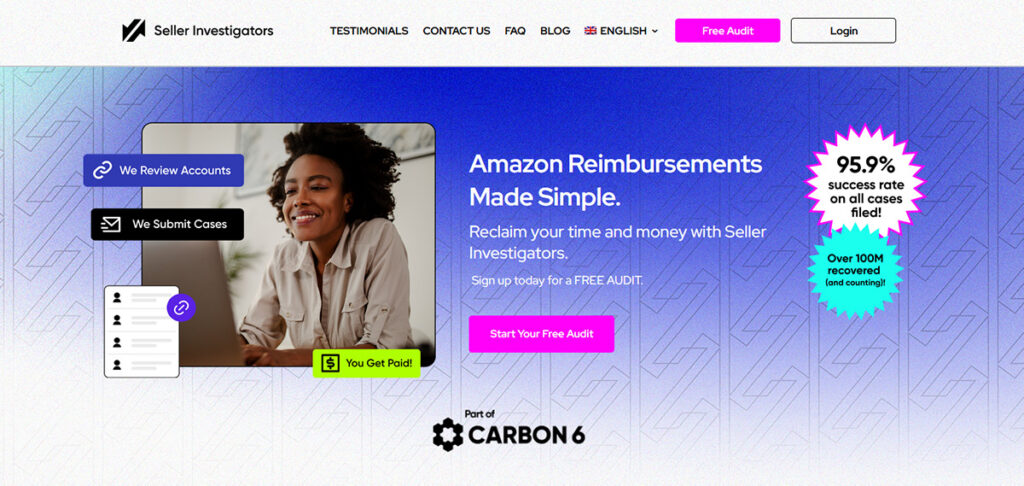
Seller Investigators is Carbon6’s completely “done-for-you” reimbursement service. It’s very easy to set up: connect your account, let their team audit your account, and then handle everything from opening cases to following up with Amazon.
The reason it earns a spot on this list is the sheer number of issues that it covers. Beyond standard lost and damaged inventory cases, Seller Investigators go after inbound shipping issues, customer refund discrepancies, over-refunds, incorrect weight-and-dimension fee overcharges, and removal-and-return-related cases. For larger brands or established sellers, this can add up fast.
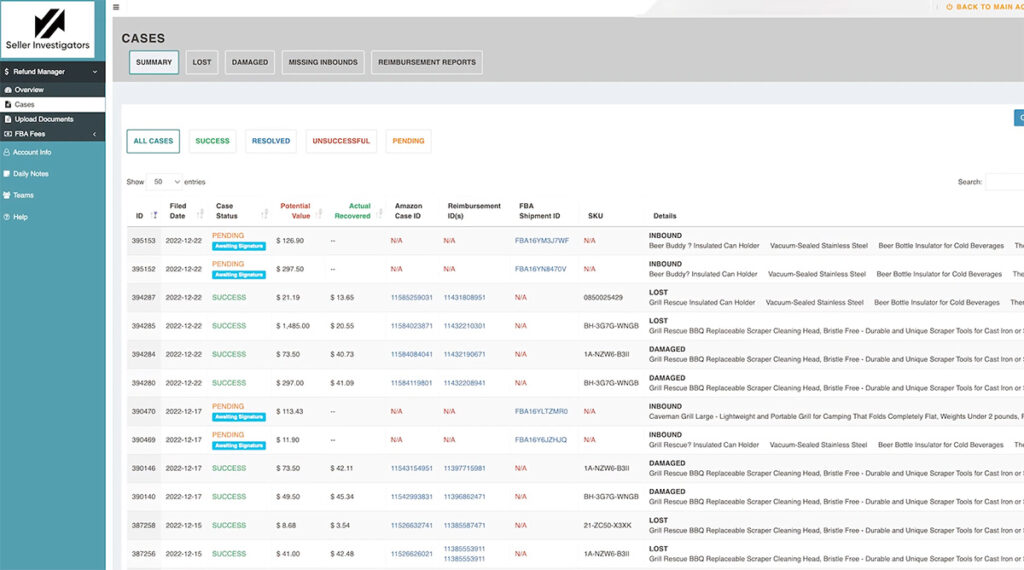
To get started, they offer a free 48-hour audit so you can see the potential recovery estimate before committing to anything. Currently, their pricing is set at 25% of the recovered amounts with no monthly subscription or upfront fee. There are occasionally promotional offers and discounts, but these are rare.
Like any managed service, results depend on your account specifics, and some sellers have reported needing to provide invoices or documentation in certain cases. “Fully managed” doesn’t always mean zero seller involvement.
Price: 25% commission fee for any money recovered. No monthly cost.
Best for: Medium to large sellers who want a hands-off approach to reimbursements and prioritise their time and thoroughness in exchange for additional cost.
Sellerboard
Pros:
- Very budget-friendly pricing with no commission on recovered reimbursements
- Excellent profit and analytics platform with 15+ additional tools and dashboards
- Reimbursement Gap feature highlights cases where Amazon reimbursed less than your COGS
Cons:
- Entirely self-filed. You open every case in Seller Central yourself
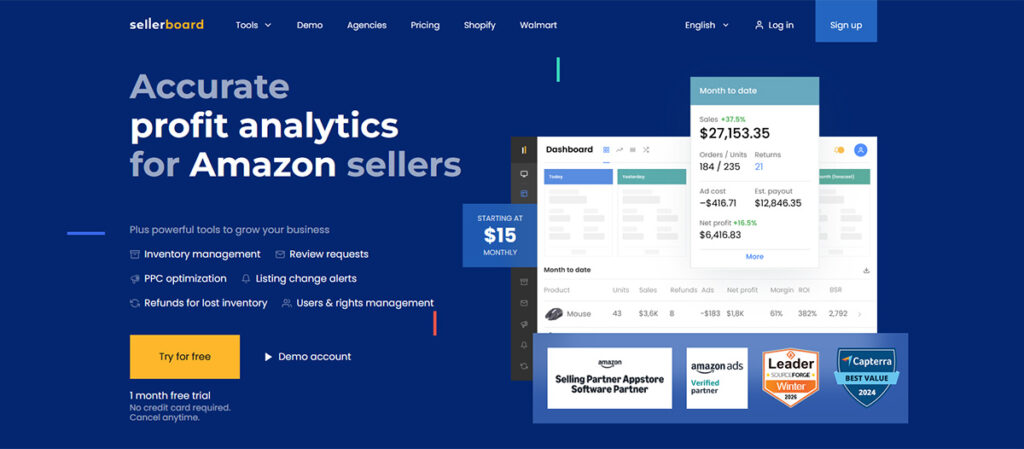
Sellerboard is our choice as the best DIY Amazon FBA reimbursement software. Better known as a profit analytics tool with P&L tracking, PPC charts, and inventory forecasting, their reimbursement module helps you find missing returns, lost inventory, and fee-related opportunities.
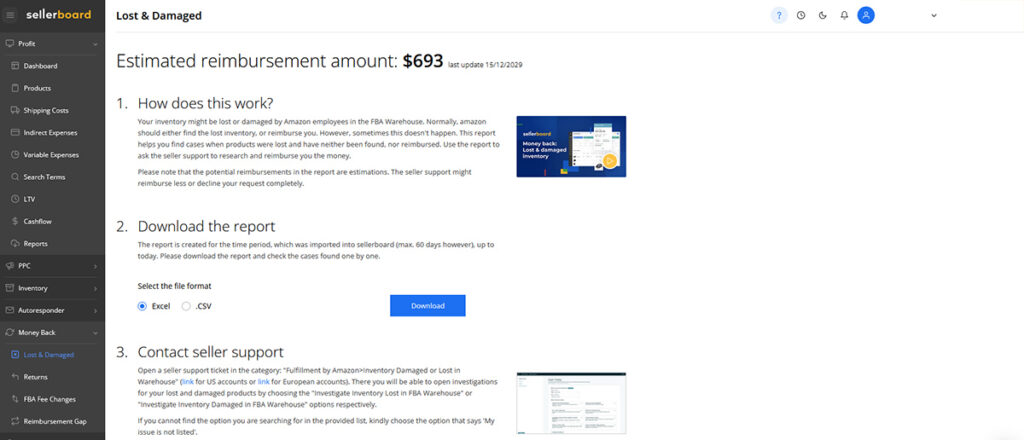
One of Sellerboard’s unique features is its Reimbursement Gap report. This tool identifies cases where Amazon reimbursed you less than your cost of goods sold. Since Amazon shifted to sourcing-cost-based reimbursements in 2025, a lot of sellers have been getting paid back less than what they actually paid for their inventory, and most tools aren’t catching it. Sellerboard includes a dedicated tab for it in the dashboard, which is a great feature and one of the reasons this tool is so useful.
A second major reason to choose Sellerboard is pricing. Starting at just $19/month with no commission, it is the cheapest tool on our list and comes with a full suite of analytics and profit tracking tools. There are additional plans for $29 and $39 per month that include more reporting features, support for additional users, and higher order limits, but for new sellers, the basic plan is more than enough.
The trade-off is that Sellerboard is fully self-service. It finds the reimbursement opportunities, but the rest is up to you. You’ll need to log into Seller Central, file each case, and follow up when necessary. For newer sellers or anyone watching their expenses closely, that’s a reasonable trade-off for a $19/month tool with no commission. For a busy seller without a dedicated ops resource, though, those cases can pile up fast.
Pricing: Sellerboard starts at $19/month ($15 with an annual plan) for up to 3000 monthly orders. Additional plans are $29, $39, and then $79/month for enterprise pricing.
Best for: Budget-conscious sellers comfortable filing their own cases.
GETIDA
Pros:
- Dedicated Amazon FBA reimbursement specialists
- Excellent account auditing, with an 18-month historical lookback
- Amazon Selling Partner Program associate
Cons:
- Expensive 25% commission-based pricing model.
- Some negative reviews around billing and cancellation issues
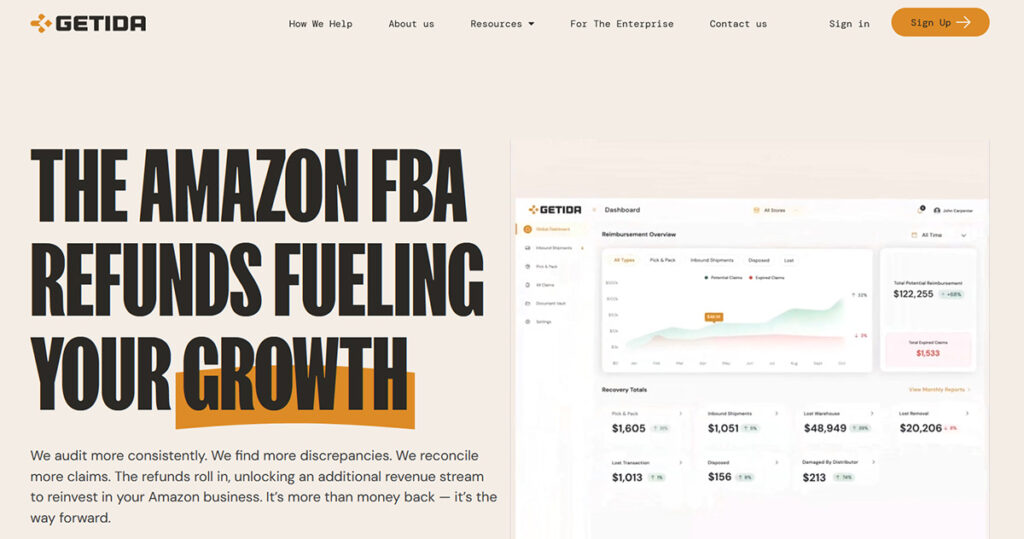
GETIDA is a specialist reimbursement service option. This is a reimbursement-only managed service. There is no profit analytics, no keyword research, and no listing tools. Just FBA reimbursement auditing and claim management, which is exactly what some sellers want.
What I liked most about GETIDA is how detailed their initial audit is. When you first sign up, their team audits up to 18 months of your transaction history, finding reimbursement opportunities other services would miss. If you’ve never used a reimbursement tool before, that initial audit alone can be worth the cost. Their claim coverage is also broad: lost and damaged inventory, inbound shipment discrepancies, disposal issues, return-related issues, and fee overcharges.
GETIDA is also an official Amazon Selling Partner, which gives them an added layer of trust that not many competitors can offer.
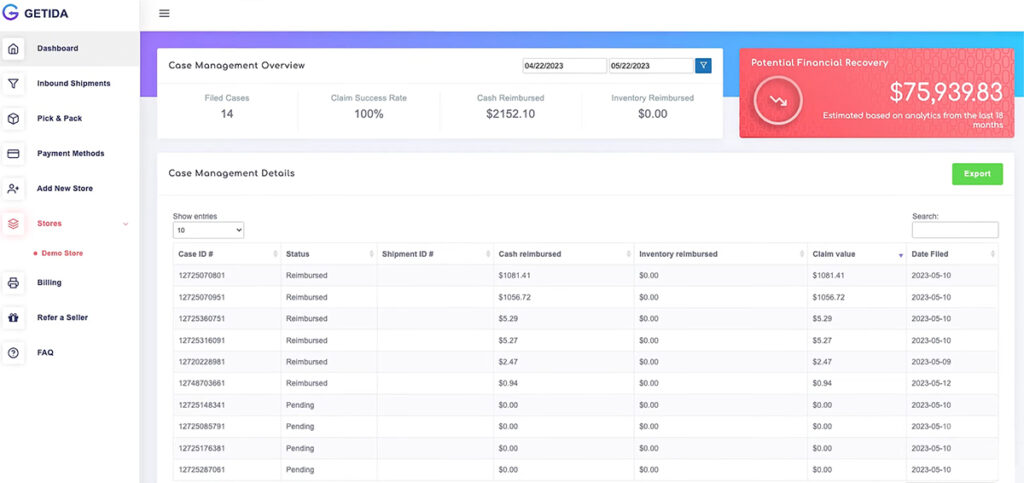
Similar to Seller Investigators, this level of service does not come cheap. As of March 2026, GETIDA does not charge a monthly fee, but they take 25% of any reimbursements recovered. This puts them in a tie with Seller Investigators as the most expensive option on our list.
Pricing: 25% commission based pricing model.
Best for: Sellers who want a reimbursement-only specialist, aren’t looking for a broader seller suite, and want a deep historical audit as part of onboarding.
Helium 10
Pros:
- Includes both a DIY option (Refund Genie) and a fully managed service
- Managed commission rates are lower than those of competitors
- All-in-one software with 30+ Amazon seller tools
Cons:
- Requires a monthly subscription, which is fairly expensive
Helium 10’s position on this list is unique, and it’s important to understand exactly what you’re getting because there are two different products included here that often get confused.
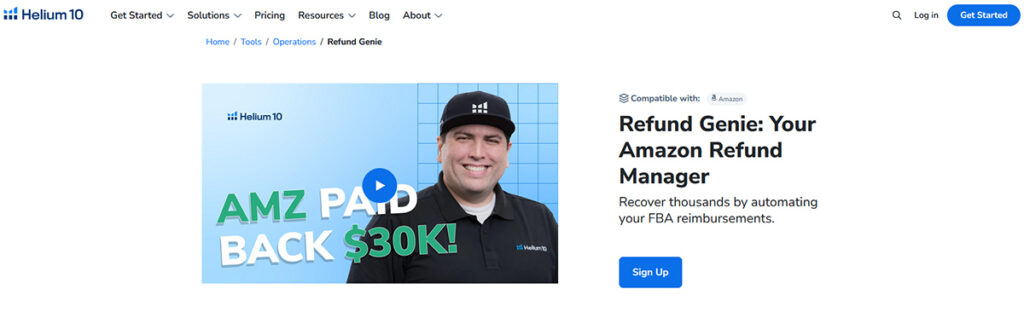
Refund Genie is Helium 10’s DIY reimbursement software. It scans your account for lost and damaged inventory and other reimbursement opportunities, then produces reports and case templates that you can manually file. There’s no reimbursement commission as it’s included in your Helium 10 plan. This is very similar to the model that Sellerboard uses.
Their Managed Refund Service is an entirely different product. This is a done-for-you managed service that exists inside Helium 10. After you activate it, Helium 10 audits your account and handles claim filing on your behalf. Commission rates are 18% with the Platinum plan and 15% on the more expensive Diamond plan. These are both much lower than services like Seller Investigators or GETIDA, but you must have a Helium 10 subscription to be eligible.

If you’re already a Helium 10 subscriber, their MRS is an excellent choice purely from a commission standpoint. The 15% rate for Diamond subscribers is the lowest rate I’ve found for a managed service, and even 18% for the Platinum plan is very reasonable. The caveat is that Helium 10 subscription pricing is pretty expensive, with the cheapest option starting at $129/month, so if reimbursements are your only use case, I’d recommend sticking with other options.
Still, if you’re looking to bundle your reimbursement software as part of an all-in-one Amazon seller platform, Helium 10 is a great choice. It includes first-class keyword tools, product research features, inventory management software, and more.
Pricing: Requires a Platinum Plan, $129/month ($99/month with an annual subscription) or Diamond Plan, $359/month ($279/month with an annual subscription). Managed services are an additional 18% commission for Platinum members and 15% for Diamond members.
Best for: Existing Helium 10 subscribers or sellers looking for an all-in-one software with reimbursement features.
Sellerise
Pros:
- Flat monthly fee. Zero commission on recovered reimbursements
- More automation features than a bare-bones DIY tool
- Includes deadline alert features
Cons:
- Not a managed service. Requires direct seller involvement
- Must invest in a full plan with keyword tools, analytics, etc
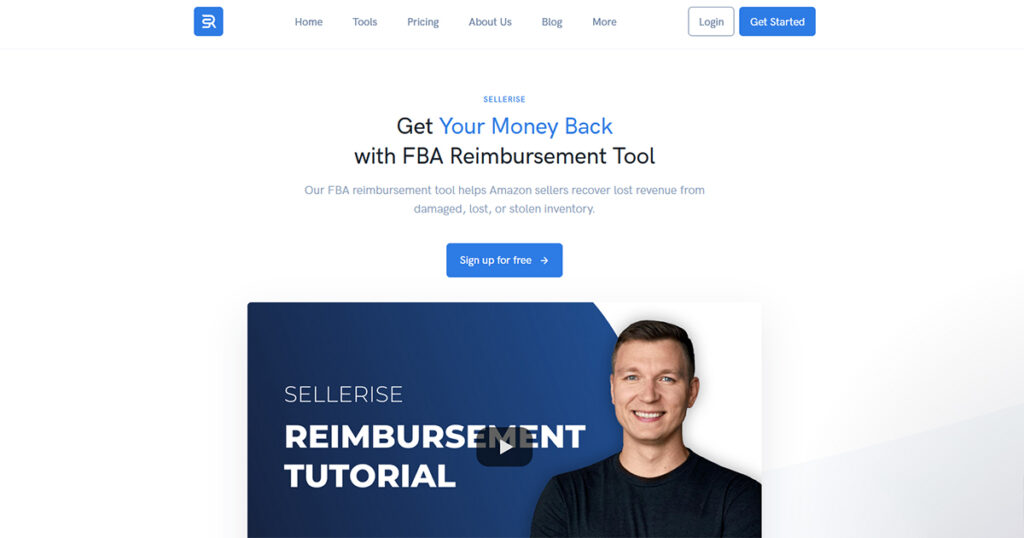
Sellerise is an all-in-one Amazon seller software that includes keyword research, listing monitoring, review management, and analytics dashboards. It also offers a reimbursement tool for anyone subscribed to their “Growing” tier plan ($39.99/month).
Unlike the managed services on our list, Sellerise doesn’t take a commission. And unlike some basic DIY tools, it does more than hand you a spreadsheet. The platform continuously scans your account for reimbursement opportunities across the standard claim categories. This includes lost and damaged inventory, missing returns, and fee errors. When it finds an opportunity, it is added to your dashboard along with the status of all of your ongoing cases.
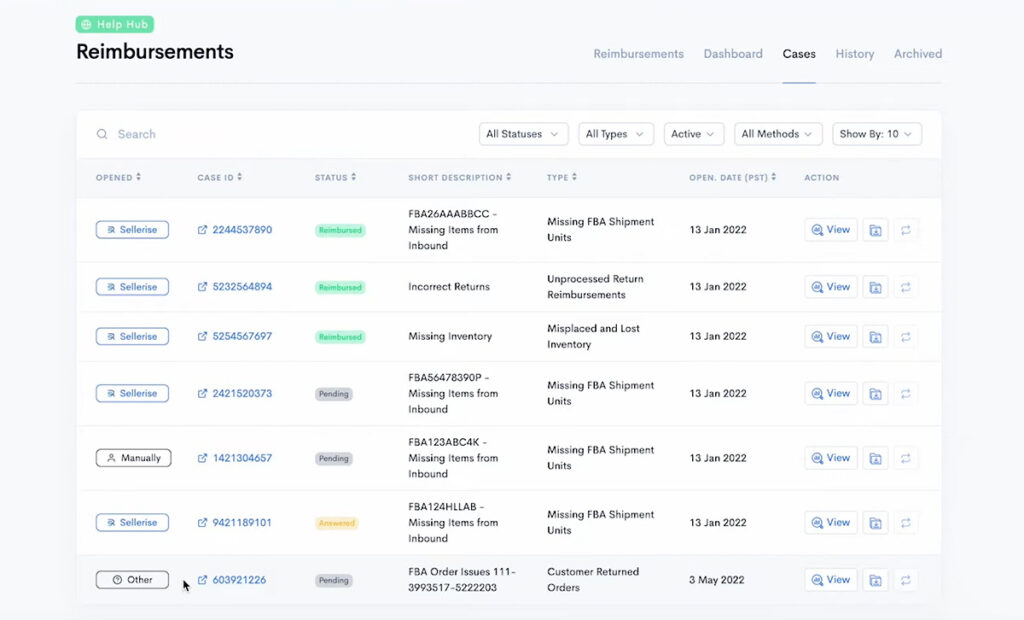
Sellerise has 3 standard plans starting at $19.99 per month, but as I said earlier, you’ll need to upgrade to the $39.99/month Growing plan to get access to their reimbursement tool. This plan includes keyword tools, review management, analytics reports, and a smart alert feature.
In my opinion, Sellerise sits between Helium 10 and Sellerboard. It is much more affordable than Helium 10, with fewer tools, and slightly more expensive than Sellerboard, but comes with a few extra features. If you’re in the market for an affordable all-in-one software that includes reimbursement features, Sellerise is a great choice.
Pricing: Reimbursement tools are included with the Growing plan for $39.99 per month. There are no commission fees.
Best for: Sellers who want to avoid reimbursement commissions, want more automation than a basic DIY report, and are looking for an all-in-one platform beyond standalone reimbursement tools.
Shopkeeper Reimbursements
Pros:
- Lower commission rates (12%-20%) than most managed competitors
- Pairs reimbursements with Shopkeeper’s other profit and analytics tools
Cons:
- Mixed public reviews regarding support and billing issues
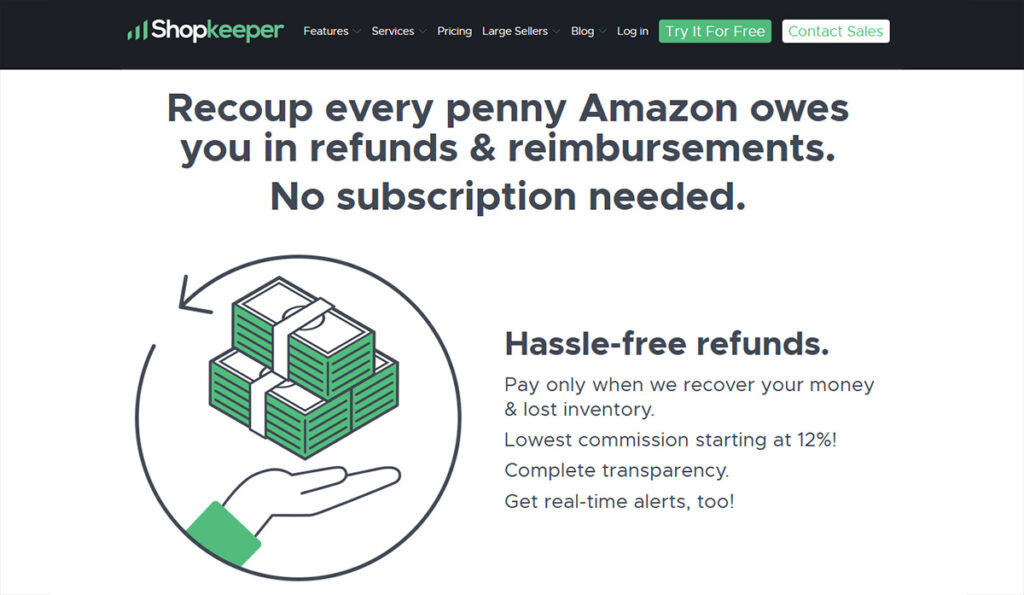
Shopkeeper is best known as a profit tracking and analytics platform, but it also offers a managed FBA reimbursement service. Their main selling point is pricing. With commission rates ranging from 12% to 20%, Shopkeeper undercuts the 25% rates set by competitors like Seller Investigators and GETIDA. Like other managed services, Shopkeeper’s team handles auditing and filing across the standard claim types, including lost and damaged inventory, missing inbound units, unprocessed returns, fee overcharges, removal order issues, and unused shipping labels.
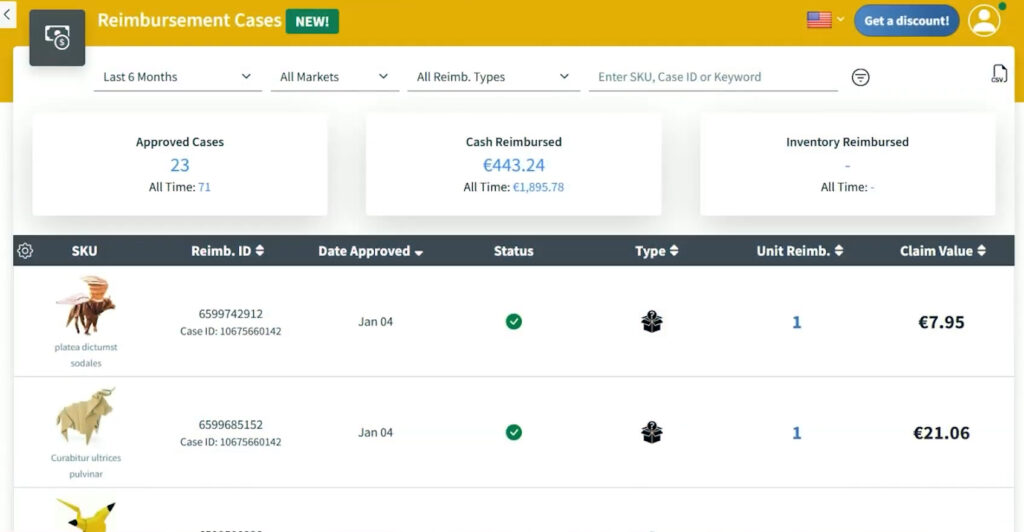
The main drawback here is that user feedback is a lot more mixed than the marketing page suggests. I found quite a high number of complaints regarding customer support, billing transparency, and cancellation issues. Personally, I didn’t experience any of these issues when checking out the service for myself, but I thought it was worth mentioning.
Pricing: 12% – 20% commission fees depending on the size of your business.
Best for: Sellers looking for a low-cost alternative to reimbursement services like Seller Investigators or GETIDA
Should You Use a Reimbursement Service or Reimbursement Software?
The managed vs DIY is really a question of how you want to pay: with money, or with time.
Most managed services ask you to give up 12% to 25% of everything they recover. In exchange, you don’t have to worry about finding reimbursement opportunities, filing claims, or following up. Instead, the service handles everything. For busy sellers, this trade-off can be more than worth it.
DIY software asks you to invest more of your time in exchange for no commissions. You pay a flat monthly fee, keep 100% of what you recover, and accept that the ROI only materialises if you put in the work. The tool can find the opportunities, but it is your responsibility to follow through.
Neither option is better than the other; it just depends on your business. Here’s how I’d think about it.
Use a Managed Service If…
- You have a large selection of products, and the volume of potential claims is high
- You sell across multiple marketplaces and don’t have the time to closely monitor each one
- You haven’t done an in-depth reimbursement audit in a long time
- You or your team doesn’t have the time to manage multiple reimbursement claims
- You’re comfortable giving up 12% to 25% of recovered funds in exchange for hands-off reimbursements
My recommended options: Seller Investigators, GETIDA, Shopkeeper, Helium 10
Use Software If…
- You or someone on your team is comfortable opening Seller Central cases
- You want to keep 100% of recovered reimbursements
- You want control over which claims get filed and how they’re worded
My recommended options: Sellerboard, Helium 10 Refund Genie, Sellerise
A Note on Recovery Expectations
I’ve deliberately avoided using specific “average recovery” percentages throughout this article because the range between different sellers and accounts is wide enough to make any single number misleading. Many sellers recover significant amounts over time, particularly if they haven’t been keeping up with their reimbursements. Sellers with higher FBA order volume, older accounts, and larger product catalogues tend to have the highest returns. But recoverable amounts vary significantly based on claim mix, transaction history, and how well you have managed your account.
In my opinion, don’t let recovery estimates drive your decision. Let the pricing model, service type, and your own business needs be the deciding factors.
Amazon Reimbursement Software FAQs
What is the difference between a reimbursement service and reimbursement software?
A reimbursement service handles much more of the recovery work for you, including case follow-ups, auditing, and ongoing reconciliation. Reimbursement software usually helps you identify potential reimbursement opportunities and organise data, but you still need to manually complete all of the work.
In our list, Seller Investigators, GETIDA, and Shopkeeper are service-based, while Sellerboard, Helium 10, and Sellerise are software-based.
Does Amazon automatically reimburse lost or damaged FBA inventory?
Sometimes, but not very reliably. Amazon has automated more reimbursement handling than it used to, but from my own experience, there are still many missed cases, under-reimbursements, reversals, and many instances that require manual follow-ups.
This is why both reimbursement services and software are still good investments in 2026. Amazon’s automation can reduce the amount of work, but it doesn’t remove the need to constantly track your account, reconcile what happened, and check whether the net recovery is accurate.
How much do Amazon reimbursement services charge?
The cost of reimbursement services can vary quite a lot. Some services use a performance-based commission (like 15%-25% of every reimbursement), while others use a monthly recurring cost. Software tools are typically much cheaper than services, but they also require you to do all of the manual work.
Is Amazon reimbursement software worth it for small sellers?
It’s still a good idea for small sellers to use a reimbursement tool, but I would recommend staying away from expensive services for now. If you are comfortable filing cases yourself, SellerBoard is a great option at a very affordable monthly cost.
Managed services make more sense as your business grows, and the hassle of managing and filing every case gets to be too much.
Can Amazon reverse a reimbursement later?
Yes, Amazon can reverse an FBA reimbursement after it has already been issued. Amazon’s own documentation says that some reimbursement claims can be reversed if the missing item is found later. So the first reimbursement notice is not always the final settled result.
That means you should always check the account entry and case notes later before you treat a reimbursement as final. If a reversal does not match what happened in the case, compare it against the shipment and inventory record before you accept it.
Which Amazon Reimbursement Tool Should You Choose?
If you want the most hands-off option possible, Seller Investigators and GETIDA make the most sense. They are built for sellers who would rather let a specialist team handle the auditing, case filing, and follow-up from start to finish.
If your main priority is keeping more of the recovered money, Sellerboard is a tool I personally use and recommend. It takes more manual work, but if you have the time, the zero-commission model is hard to ignore. Sellerise also deserves a look if you want a DIY-friendly option with some extra tools for your Amazon business.
Helium 10 makes the most sense for sellers who are trying to stick to a single monthly subscription. And if you’re looking for a budget-friendly managed service, Shopkeeper is worth considering.
My final bit of advice is that the biggest mistake you can make is doing nothing. Amazon reimbursement windows are tighter than they used to be, and missed claims add up a lot faster than most sellers realise. Find a tool that works for you and stop leaving money on the table.

Levi Adler is an experienced Amazon seller, e-commerce specialist, and the founder of Levi’s Toolbox. With over a decade in the trenches selling on Amazon and managing his own Shopify stores, Levi writes from his own experience. Sharing what worked, what flopped, and the strategies he wishes he’d known sooner. When he’s optimizing listings or managing ad campaigns, you’ll find Levi hitting mountain bike trails or hanging out with his two huskies, Emma and Scout.