

If you’ve ever looked at your Amazon numbers and wondered where your profits are actually going, you’re not alone. Most sellers see their sales figures but don’t have a clear picture of what’s actually driving them and what’s quietly eating away at their margins. That’s why understanding your analytics is so important. It gives you the knowledge to make smarter, informed decisions every single day.
Amazon analytics tools take the raw data inside Seller Central, like your sales, ad spend, fees, and refunds, and organize it into easy-to-read reports and charts. Instead of sorting through a bunch of spreadsheets, you can quickly see which products are most profitable, where costs are adding up, and how well your ad campaigns are performing.
After nearly a decade of selling on Amazon, I’ve tested and tried nearly every major analytics software on the market to see which ones are really worth their cost. In this article, I’ve narrowed it down to seven analytics tools that stand out for their accuracy, ease of use, and the overall value they bring to Amazon sellers in 2026. Without any delay, here they are.
The 7 best Amazon analytics tools
- Sellerboard for the best overall Amazon analytics tool
- Helium10 for analytics and a robust software suite
- Sellerise for a finance-focused multi-purpose tool
- Shopkeeper for multi-platform sellers
- SellerMobile for mobile-first sellers
- Jungle Scout for new sellers
- Scale Insights for PPC analytics and optimization
What makes the best Amazon analytics tool?
Since Amazon analytics tools can fall into distinct categories, nailing down what makes them great is a little complicated. To score them as objectively as possible, I reviewed dozens of products and whittled down a list of quality criteria that could apply to any category.
- All-in-One Analytics: Analytics go beyond just tracking profits and expenses. We chose tools that offer insights into products, inventory, keywords, advertising, and your overall business performance.
- User-Friendly Design: With so many things to focus on, it’s important that your analytics tool is easy to navigate. A streamlined design presents the most important information up front, optimizing your workflow and saving you time.
- Exceptional Customer Support: Reliable support is a must for any tool we review. Whether you’re learning to use the software or need help with a billing issue, responsive and helpful customer service makes all the difference.
- Value: The best tools balance cost with features, offering excellent value for their price. Whether you’re a new seller on a tight budget or scaling your business, it’s important to choose a tool that fits your needs without overpaying for features you won’t use.
- Accuracy: Without accurate data, an analytics tool is useless. For our list, we selected tools with proven track records that use Amazon’s API for the most accurate, up-to-date information
Your quick guide to the best Amazon analytics tools
| Tool | Best For | Key Feature | Free Trial | Pricing |
|---|---|---|---|---|
| Sellerboard | Sellers who want affordable, accurate profit tracking with customizable reports. | Very intuitive dashboard you can customize with tiles and charts for profit and expense tracking. | Yes | Starts at $19/month |
| Helium 10 | Sellers who want one subscription to manage everything from product research to analytics. | All-in-one platform with over 35 tools including keyword research, inventory management, and analytics. | No | Starts at $129/month |
| Sellerise | Sellers who need an all-in-one analytics tool focused on sales, keyword research, and review analysis. | Built-in FBA reimbursement tool that automatically files refund claims. | Yes | Starts at $19.99/month |
| Shopkeeper | Multi-platform sellers managing Amazon, Etsy, eBay, and Shopify stores. | Centralized dashboard that combines sales and profit data across all sales channels. | Yes | Starts at $20/month |
| SellerMobile | Mobile-first sellers who need real-time analytics and alerts on the go. | Powerful mobile app with predictive restock and customizable alerts. | Yes | Starts at $19.99/month |
| Jungle Scout | New sellers looking for beginner-friendly all-in-one software. | Includes over twenty tools that cover everything from product research to analytics, with a very beginner-friendly design. | No | Starts at $49/month |
| Scale Insights | Experienced sellers managing large ad budgets or multiple PPC campaigns. | Hybrid AI and rule-based PPC automation with detailed analytics. | Yes | Starts at $78/month |
Best Overall Amazon Analytics Tool
Sellerboard
Sellerboard Pros:
- Very easy to use / Excellent UI
- Highly customizable
- Affordable pricing
Sellerboard Cons:
- Limited learning resources
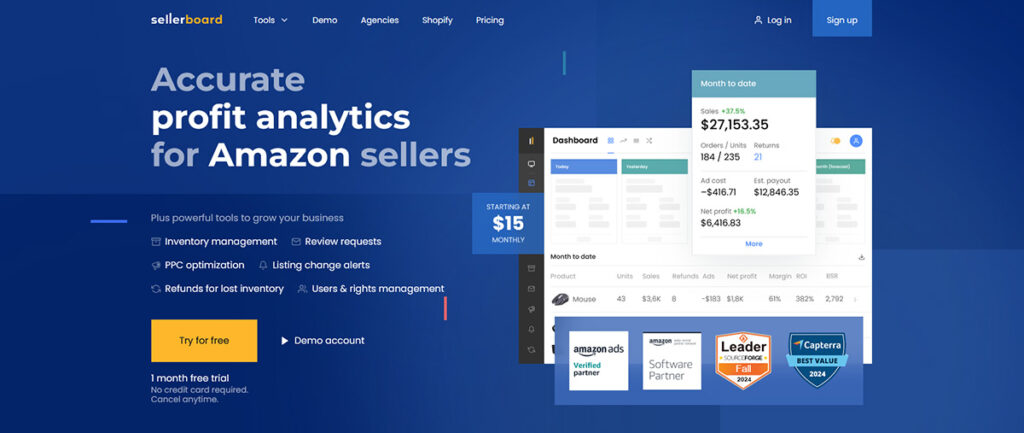
Sellerboard is a multipurpose Amazon analytics software with budget-friendly pricing. It connects directly to your Seller Central account and tracks every fee, cost, and advertising expense, giving you an accurate picture of your business.
The dashboard is very user-friendly and highly customizable. You can view performance metrics by sales periods, view charts highlighting sales, ad costs, and units sold, view your profit and loss report, or look for trends in your business. You can quickly adjust filters, date ranges, and select the marketplaces or currency you prefer. I found everything highly intuitive and very easy to navigate.
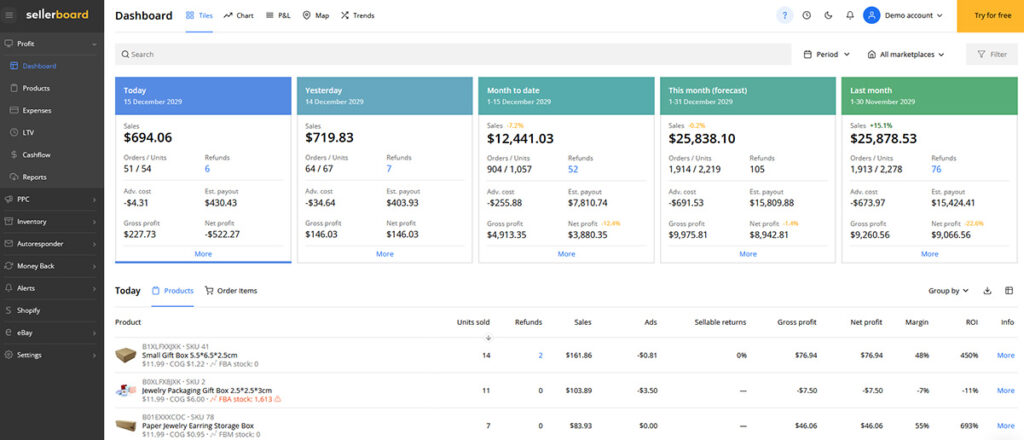
Besides their analytics dashboard, Sellerboard includes inventory forecasting, PPC tracking, an FBA reimbursement tool, customizable alerts, and an automated review request feature. Every plan includes the full feature set, starting at just $19 per month for up to 3000 monthly orders.
While it’s not a true “all-in-one” tool, there are no keyword or product research features; Sellerboard has everything you need for sales and analytics tracking. With its excellent design and budget-friendly pricing, Sellerboard stands out as our choice for the best Amazon analytics tool of 2026.
Best For: Beginner to advanced sellers looking for an affordable, high-quality analytics tool with several additional features.
Free Trial: Sellerboard offers a 1-month free trial; no credit card is required
Pricing: Plans start at $19/month ($15 annually) for up to 3000 monthly orders. This includes all of Sellerboards’ tools, 150 automated review requests, and 3 automated reports. Additional plans are $29, $39, and $79/month and support higher sales volumes, more requests, reports, and users.
Best All-in-One Tool for Amazon Analytics
Helium 10

Helium 10 Pros:
- 20+ tools for all aspects of your Amazon business
- Very user-friendly design
- In-depth sales, keyword, and competitor analytics
Helium 10 Cons:
- Premium pricing
Helium 10 is an all-in-one Amazon seller platform that combines over 30 different tools for product research, keyword analysis, ad management, and analytics, all in one place.
Its Profits tool acts as their analytics dashboard and pulls data from both Seller Central and Amazon Advertising, giving you a detailed breakdown of your profitability and costs across every product. It automatically tracks more than 70 cost categories, helping you quickly understand how fees, refunds, and ad spend affect your bottom line.
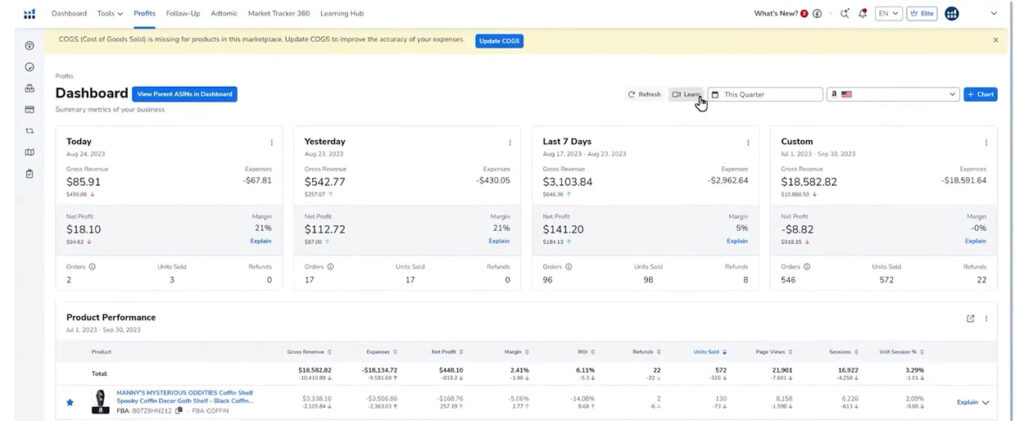
For more advanced analytics, their AI-powered Insights Dashboard can be used to highlight trends in your business. This includes issues like margin drops or products with rising ad costs. They also offer a Market Tracker tool that shows how your niche is performing over time, by tracking shifts in overall pricing and competition.
Helium 10 starts at $39 per month, but you’ll need their most common Platinum Plan at $99/month to get full access to their analytics features. While the platform can feel a bit overwhelming at first, with so many tools, filters, and options available, there is a lot of educational content, like tutorials, YouTube videos, and podcasts, available to help you get the hang of everything. For sellers who want to stick with just a single monthly subscription, Helium 10 delivers exceptional depth and convenience.
For a deeper dive into Helium 10’s other tools, check out our guide on Helium 10 vs Jungle Scout: Which All-in-one Tool Wins in 2026?
Best For: Sellers looking for an advanced all-in-one software for analytics, product research, keyword research, inventory management features, and more.
Free Trial: Helium 10 does not have a free trial, but they do have a free plan with limited access to analytics, keyword, and product research tools.
Pricing: Starts at $129/month ($99 annually) for the Platinum Plan. For access to more advanced features, including advanced analytics and advertising features, the Diamond plan is $359/month.
Best Multi-Purpose Analytics Tool
Sellerise
Sellerise Pros:
- Wide range of analytics and finance tools
- Includes an excellent FBA reimbursement tool
- Exceptional customer service and help resources
Sellerise Cons:
- Their Keyword tool has limited functionality
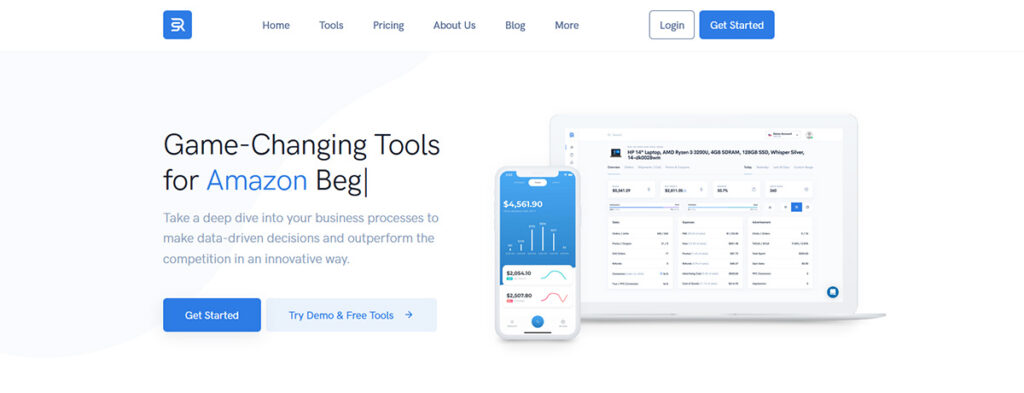
Sellerise is a performance-focused Amazon analytics software designed to help sellers manage profits, reimbursements, and ad performance in one place. Unlike common tools like Helium 10 or Jungle Scout, which cover product research and listing creation, Sellerise focuses entirely on what happens after your products start selling.
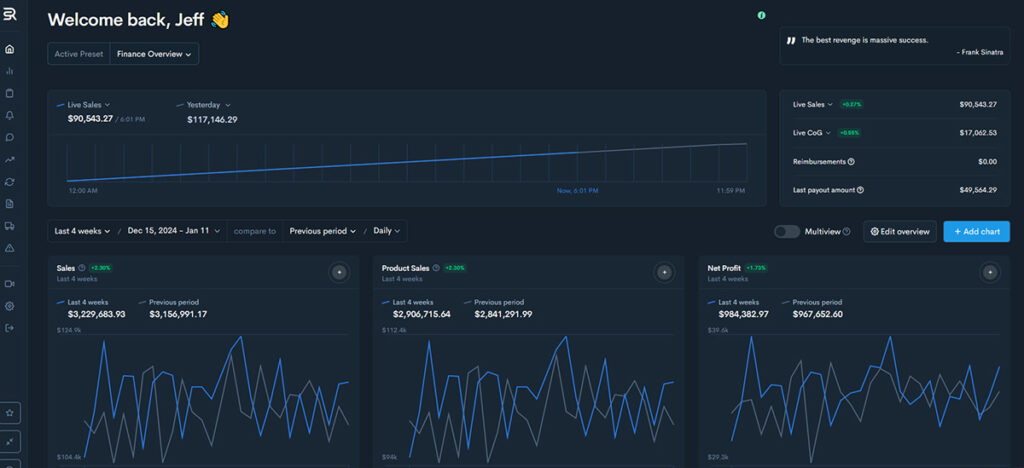
Its dashboard brings together real-time sales, margins, and PPC data into a set of organized charts and graphs, giving you a clear picture of how your business is performing. There are over 20 different tools available, including ABC Analysis for identifying your best-and-worst performing SKUs, a PPC dashboard that tracks profitability and spend across all of your ad campaigns, and a highly rated FBA Reimbursement feature that automatically finds and files claims for lost or damaged inventory.
There are also tons of ready-made reports, a customizable alert system, several features for analyzing and requesting reviews, and a set of five unique keyword tools.
Along with Sellerboard, Sellerise is also one of the most affordable tools on our list, with plans starting at $19.99 per month for access to most of their tools and reporting features. While it doesn’t include any product research or inventory tools, its an excellent platform for anyone looking to get a better grasp on their numbers or make smarter data-driven decisions for their business.
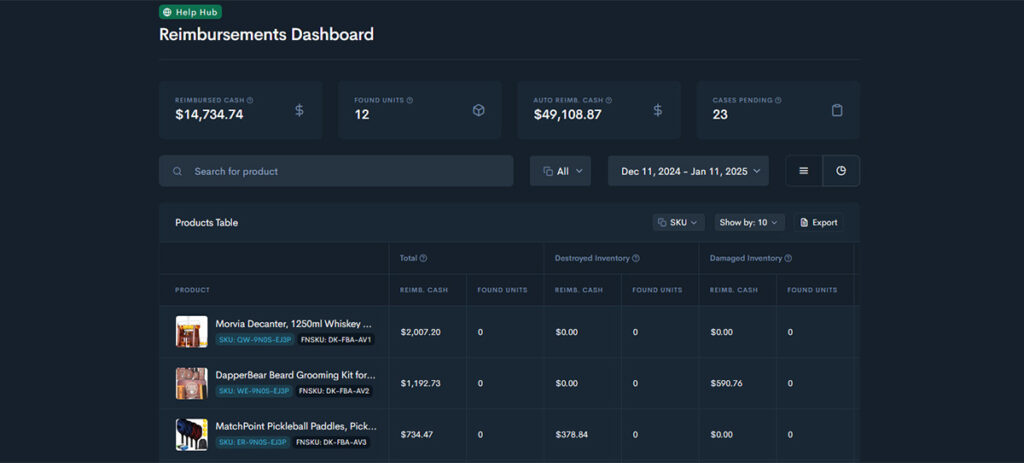
Best For: Sellers looking for a multipurpose financial and analytics tool at an affordable price point.
Free Trial: Sellerise offers a 7-day free trial with no credit card required.
Pricing: Starts at $19.99/month for up to 1000 orders. Additional plans are $39.99/month for 5000 orders and FBA reimbursements, $99.99/month for 50,000 orders and two advanced keyword tools, and $299.99/month for enterprise sellers.
Best Mobile App for On-the-Go Analytics
SellerMobile
SellerMobile Pros:
- Excellent mobile app
- Includes additional tools like a repricer and review automation
- PPC, inventory, and sales analytics
SellerMobile Cons:
- No alerts or notifications with their budget-friendly plans
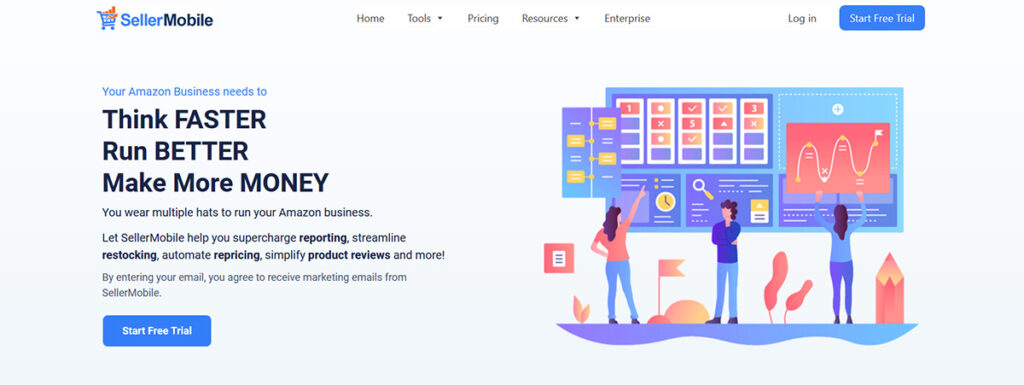
SellerMobile is an Amazon and Walmart analytics software known for its mobile-first design and powerful profit tracking tools. Unlike many tools that include a mobile app as an afterthought, SellerMobile was built around its iOS and Android apps from the start. You can access nearly every feature available from their desktop app on mobile, making it a convenient option for sellers who want to monitor sales and inventory on the go.
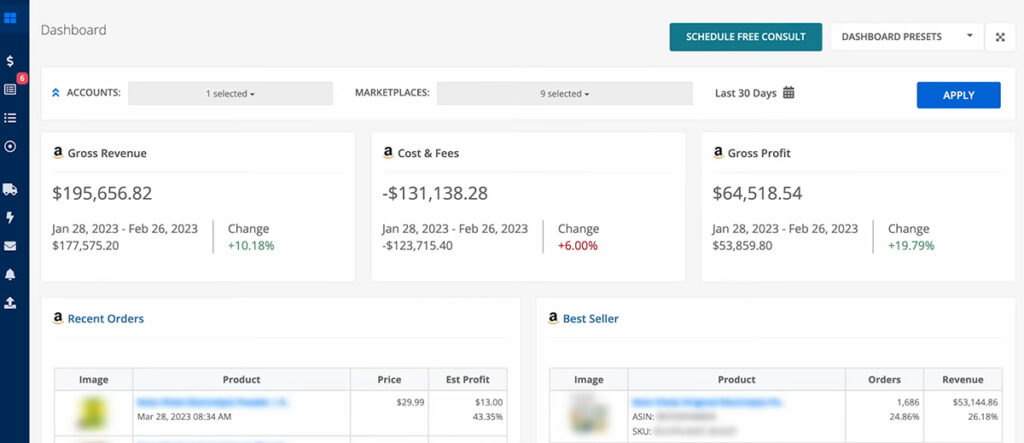
There are integrations for all 17 of Amazon’s major marketplaces, combining profit, inventory, and PPC metrics into a single dashboard. Predictive restock tools analyze up to two years of history to help prevent stockouts, while 30-plus customizable alerts flag changes in price, Buy Box ownership, ad spend, and more. It also includes a built-in algorithmic repricer and a review automation tool.
Pricing starts at $19.99 per month, though many of the features, like alerts and detailed analytics, are only available with their $59.99 or $99.99 per month plans. Even with these higher price points, for sellers looking for an unmatched mobile experience with access to deep analytics, even on the go, SellerMobile is definitely worth considering.
Best For: Busy sellers who want real-time Amazon analytics and restock alerts directly from their phone.
Free Trial: SellerMobile offers a 14-day free trial with no credit card required.
Pricing: Plans start at $19.99/month for just the basic dashboard on both desktop and mobile. Their $59.99/month plan adds product, inventory, and lost sales analytics, and their most popular Grow Plan ($99.99/month) includes alerts, PPC analytics, a repricer, and review automation. There is also a premium $149.99 per month plan with inventory tools and a Walmart integration
Best Amazon Analytics Tool for Multi-Platform Sellers
Shopkeeper
Shopkeeper Pros:
- Integrations with most major e-commerce platforms
- Affordable pricing model
- Very easy to use
Shopkeeper Cons:
- Fewer tools compared to other analytics software
- Customer service has mixed reviews
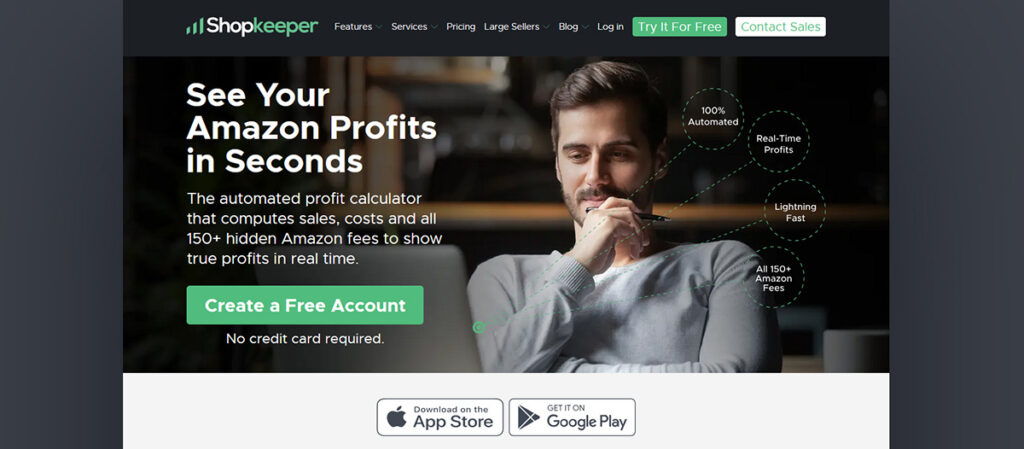
Shopkeeper is a multi-platform profit analytics tool that is a great option for sellers with sales channels beyond Amazon. It connects with Amazon, Etsy, eBay, WooCommerce, and Shopify, giving you one central dashboard to track sales, profit, and performance across every channel.
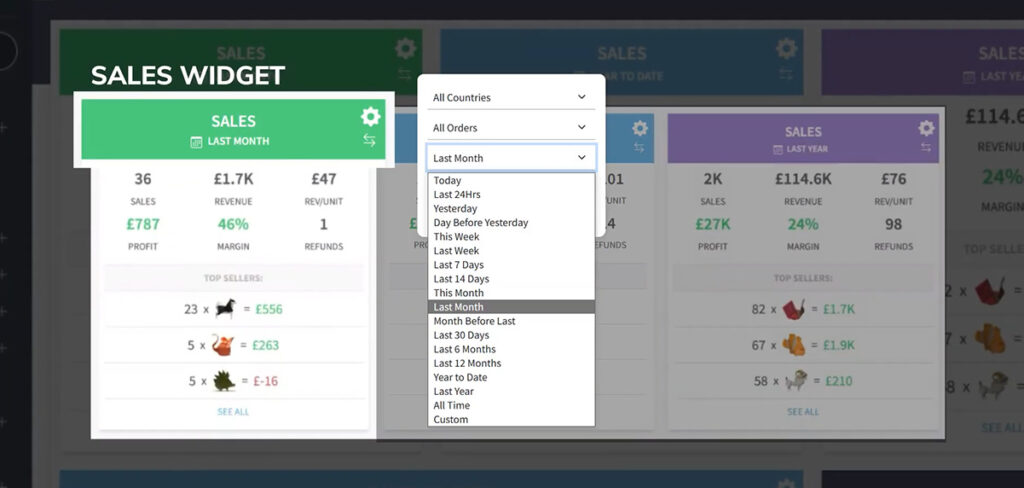
The dashboard is well organized with color-coded charts for profit, inventory value, and PPC spend. You can toggle between marketplaces or products and instantly see sales velocity, ROI, and recent orders. It’s very intuitive, with adjustable widgets and the ability to create customizable layouts that you can adjust to view the most important metrics for your business.
For Amazon-specific features, Shopkeeper includes a clear breakdown of over 70 Amazon fees and charges like FBA fulfillment, storage, and refunds to paint a clear picture of your margins. Its usage-based pricing means that you only pay more as your business grows, and every tier includes every feature.
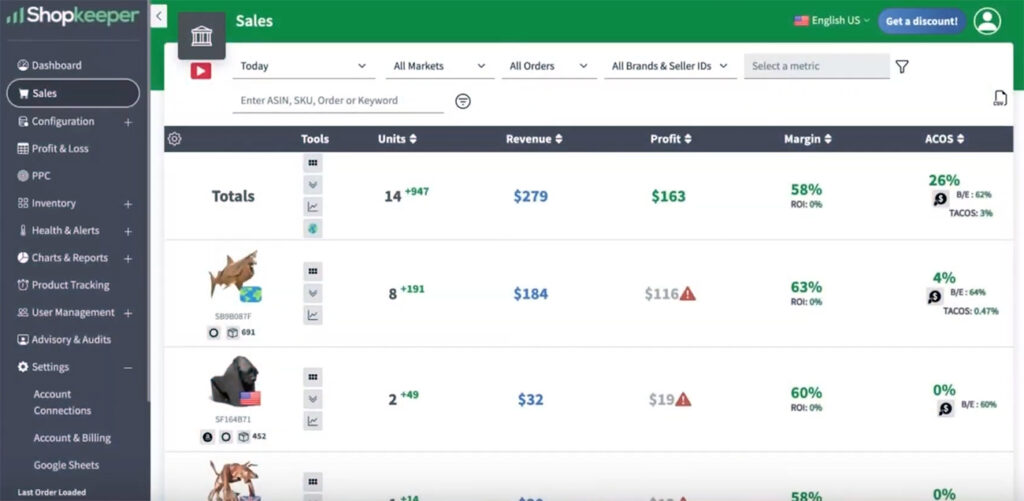
As for drawbacks, because Shopkeeper isn’t a dedicated Amazon software, it offers fewer Amazon-specific features compared to tools like Sellerboard or Helium 10. While I didn’t encounter any issues myself, it’s worth noting that customer support reviews are somewhat mixed. Still, with integrations for major marketplaces, accounting software, and even shipping tools, Shopkeeper remains an excellent option for Amazon sellers who operate across multiple channels.
Best For: Multi-channel Amazon sellers looking for a centralized analytics and inventory tracking software.
Free Trial: Shopkeeper offers a 14-day free trial with no credit card required.
Pricing: Starts at $20/month for up to 250 orders. This includes all dashboards, reporting features, automated review requests, and real-time updates. Additional plans are $45, $90, and $250 per month, with all of the same features but with higher monthly order limits.
Best Amazon Analytics Software for New Sellers
Jungle Scout
Jungle Scout Pros:
- 20+ tools for all aspects of your Amazon business
- Beginner-friendly design
- Excellent customer support
Jungle Scout Cons:
- Fairly expensive
- No analytics tools with their basic plan
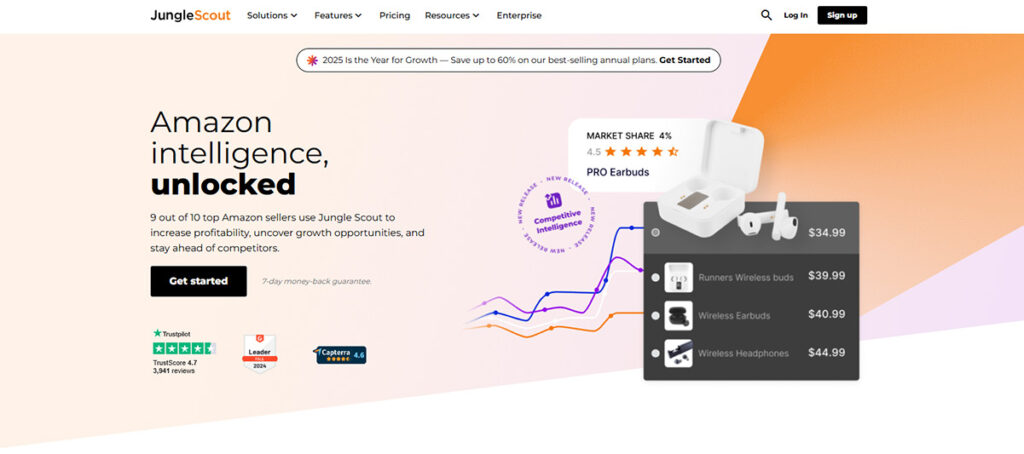
Jungle Scout is an all-in-one Amazon seller platform designed with beginners in mind. It offers more than 20 high-quality tools that cover everything from product research to analytics, each built to be approachable and easy to learn. Along with Helium 10, Jungle Scout is one of the most popular Amazon software tools on the market and has a great reputation for its excellent customer support and educational content.
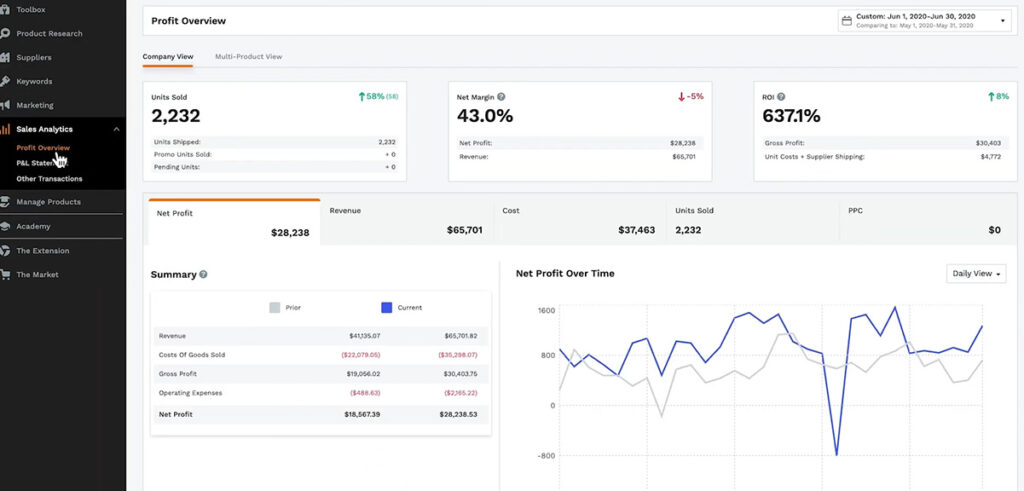
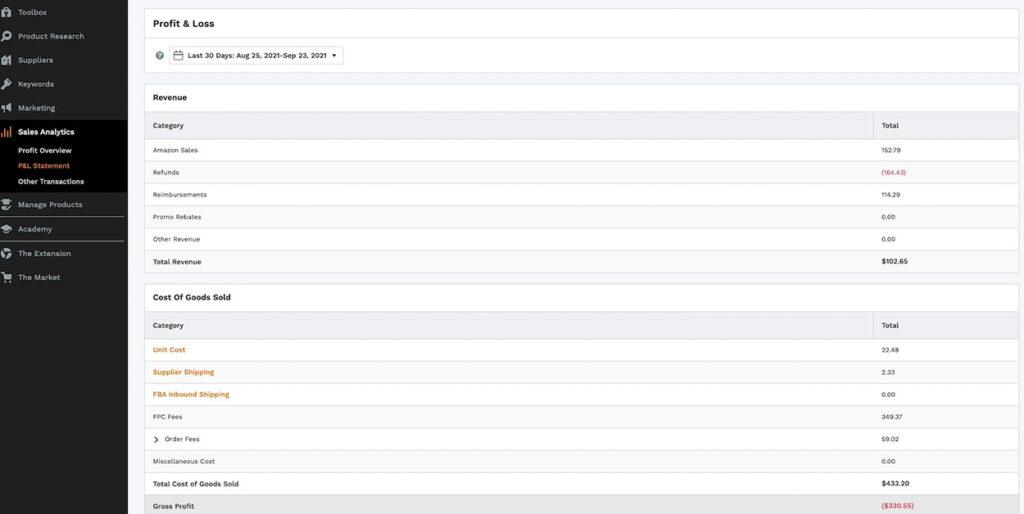
Jungle Scout’s Sales Analytics tab is where most of its profit tracking features are located. The dashboard offers two main views: a company overview for big picture information, an overview of your business as a whole, and a product-level view for more detailed information on each SKU. You can also monitor ad spend, refunds, view your Profit and Loss report, and track fees directly within the same dashboard. Like all of Jungle Scout’s tools, I found the layout to be very user-friendly, with color-coded displays, charts, graphs, and simple date range filters
Although Jungle Scout offers an entry plan for $49/month, you’ll need their Growth Accelerator Plan at $79/month (or $49 with annual pricing) to unlock their analytics features. This also includes all of their product and keyword research tools, keyword tracking, their AI assist feature, and a full course to teach you the basics of selling on Amazon.
For new sellers still learning the ropes, Jungle Scout remains a great all-in-one software with all of the basic analytics features you’ll need to launch a successful business.
Best For: New sellers looking for a reliable, all-in-one software without a steep learning curve.
Free Trial: Jungle Scout does not offer a free trial. All plans include a 7-day money-back guarantee.
Pricing: Jungle Scout plans start at $49 per month for Starter, $79 for Growth Accelerator, and $129 for their Brand Owner plan. Access to Jungle Scout’s analytics tools begins with the Growth Accelerator plan, while PPC analytics and automation tools are available with the Brand Owner plan.
Best Amazon Analytics Tool for PPC
Scale Insights
Scale Insights Pros:
- In-depth sales and PPC analytics
- Includes restocking suggestions
- Flexible PPC automation options
Scale Insights Cons:
- Difficult learning curve
- Fairly expensive
Scale Insights is an advanced Amazon PPC analytics and automation software designed for experienced sellers who want to take their ad campaigns to the next level. The tool combines rule-based ad automation with its unique Scale-matic AI, allowing you to automate bids, budgets, and keyword actions, while still tailoring every change to fit your campaign’s goals.
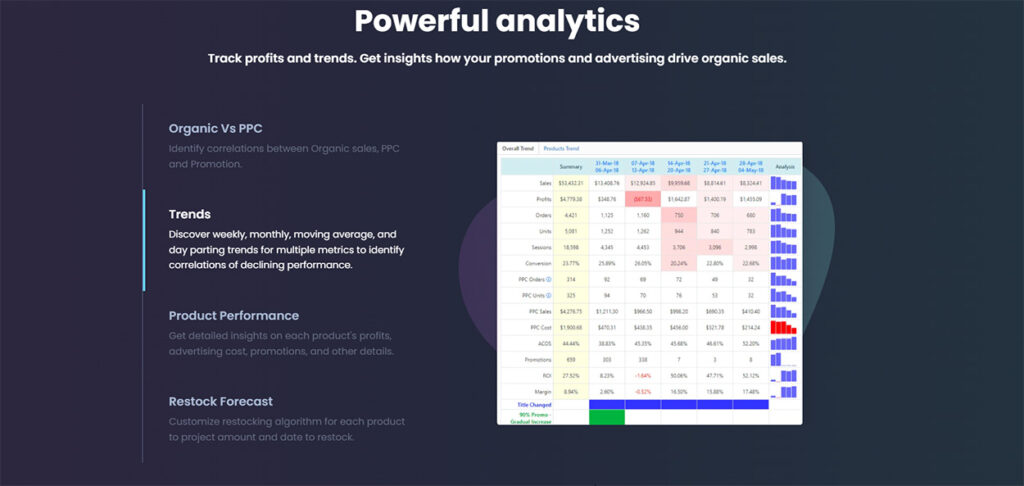
Its analytics dashboard connects ad spend and organic sales, giving you a clear view of how advertising impacts overall profit. It also includes trend tracking, product analysis, and a restock forecasting tool. While some parts of the interface look a bit dated, I still found it easy to navigate, and the color-coded layout made it simple to see which areas needed attention.
When it comes to campaign management, Scale Insights offers a ton of different algorithms to help you automate your ad campaigns. There are placement, revive, blacklist, default bid, and daily budget algorithms all available, as well as dayparting and dynamic bidding features. One of my favorite features is the “Split-to-Keyword” function, which automatically converts winning search terms into single-keyword campaigns to isolate and scale your best performers.
Given its focus on advertising, Scale Insights isn’t the best choice for new sellers or brands with smaller ad budgets. The learning curve is steep, and the cost only makes sense if you’re already investing heavily in Amazon advertising. However, for sellers looking to automate and optimize their ad campaigns, Scale Insights is a strong option.
Best For: Experienced sellers and agencies who manage large ad budgets and want to automate PPC campaigns while tracking performance in detail.
Free Trial: Scale Insights offers a 30-day free trial with no credit card required.
Pricing: Plans start at $78 per month for five automated ASINs, with costs increasing based on the number of ASINs managed. Pricing is tied to automated ASINs rather than total SKUs, which makes it more flexible for sellers running selective campaigns.
Amazon Analytics Tools FAQs
Are there free Amazon analytics tools available?
Yes. Amazon has several free reports available for download in Seller Central. Just go to Reports > Business Reports for sales, traffic, and conversion data. If you have a Professional Seller plan and you are enrolled in the Brand Registry, you can also go to Brands > Brand Analytics for additional reports like Search Query Performance, Search Catalog Performance, and Top Search Terms.
The tradeoff is that Amazon’s free reports are split across different sections and usually do not show clean net profit after fees, ad spend, refunds, and your own COGS in one place. That is where paid Amazon analytics tools start to save time.
Which Amazon analytics tools are best for beginners?
For most new sellers, I recommend Sellerboard. It’s very budget-friendly with a clear, easy-to-understand UI and excellent customer support. If you’re looking for an all-in-one tool with keyword research, product research, etc, then Jungle Scout is a great beginner-friendly option.
If you’re on a tight budget or your business is just starting, I’d actually recommend just using Seller Central’s free reports first, then move to a paid analytics tool once you’re managing more products, ad campaigns, and your business has grown in complexity.
Is it safe to connect a third-party analytics tool to Seller Central?
Usually, yes, if you are using a reputable tool (like the ones on our list). The safest method is to always use Amazon-approved apps in the Seller Partner Appstore, keep 2FA enabled on your seller account, and review exactly what permissions the software is requesting before you approve it.
Never hand over your Seller Central login information by email or chat. If a tool asks for more access than it needs, treat it as a red flag. If you stop using a software, remove its access to your account, and always review your connected apps periodically.
Which metrics matter most in an Amazon analytics tool?
The most important metrics you should focus on are the ones that tell you whether your business is actually profitable. At a minimum, any analytics tools should make it easy to see your true profits after fees and ad spend, contribution margin by SKU, refund or return trends, and inventory data to avoid stockouts.
Do I still need an analytics tool if I use Seller Central Business Reports?
Not always. If you are a smaller seller or brand new, you may only need to see sales, traffic, and conversion data. In this case, Seller Central reports plus a spreadsheet can be good enough to start.
Once your business grows with more products, advertising costs, fees, etc it might be wise to invest in a paid tool where you can keep track of everything without any hassle, in one central location.
Do Amazon analytics tools replace spreadsheets completely?
Not completely. Many sellers, including myself, still use spreadsheets for budgeting, forecasting, cash-flow planning, or specific one-off issues. A good Amazon analytics tool should replace the repetitive reporting work and day-to-day issues, while spreadsheets become secondary planning tools you use on occasion.
My personal setup is: my analytics tool handles daily reporting, while I use spreadsheets for planning, scenario modeling, and custom business math/issues.
How do I choose an Amazon analytics tool?
I recommend starting with your major pain point, not the tool with the longest feature list. If your main issue is identifying your margins and getting a clear picture of your business, start with a profit-first tool like Sellerboard or Shopkeeper. If you’re focused on ad reporting, Scale Insights is a better choice. If you want to stick to a single monthly subscription, all-in-one platforms like Helium 10 or Jungle Scout make the most sense.
How to Choose the Best Amazon Analytics Tool for Your Business
Choosing the best Amazon analytics tools comes down to understanding your own business and deciding on what features and data you need most. Many sellers prefer an all-in-one platform like Helium 10 or Jungle Scout, while others are only focused on dedicated analytics software like Sellerboard or Sellerise.
My advice is to start with the one that first meets your immediate goals and your budget. If you’re struggling to keep track of your profits or ad performance, pick the tool that makes those numbers the easiest to understand and act on. Almost every software on our list offers a free trial, so I highly recommend you test out a few before making your decision.
In my experience, once you start using proper analytics and really tracking your data, it changes how you run your business. You stop guessing and start setting goals and making decisions based on actual data, and that’s when your Amazon business really starts to grow.
Recommended Articles
- 19 Best Tools for Amazon FBA in 2026 (Free & Paid Options)
- 9 Best Listing Software for Amazon Sellers (Free & Paid Options)
- The 9 Best AI Tools for Amazon Sellers in 2026

Levi Adler is an experienced Amazon seller, e-commerce specialist, and the founder of Levi’s Toolbox. With over a decade in the trenches selling on Amazon and managing his own Shopify stores, Levi writes from his own experience. Sharing what worked, what flopped, and the strategies he wishes he’d known sooner. When he’s optimizing listings or managing ad campaigns, you’ll find Levi hitting mountain bike trails or hanging out with his two huskies, Emma and Scout.
